

Who Robyn picks
Robyn reads your appointment book. A patient is due back once they’re past the gap you’d expect between visits for their usual appointment type. It’s 90 days unless you set your own. See who’s due back. She lists them by Robyn Score, highest first. The score is her view of who is drifting away, not just who is due. Patients get into the queue in one of two ways:- You add them. On the Patients tab, tick the people you want and press Add to the queue. The button counts how many you ticked.
- Robyn adds them, but only while Reengagement automation and Auto-add are both on. She takes them from the top of the list each day. Both switches are in Automation settings, the button at the top right of the queue.
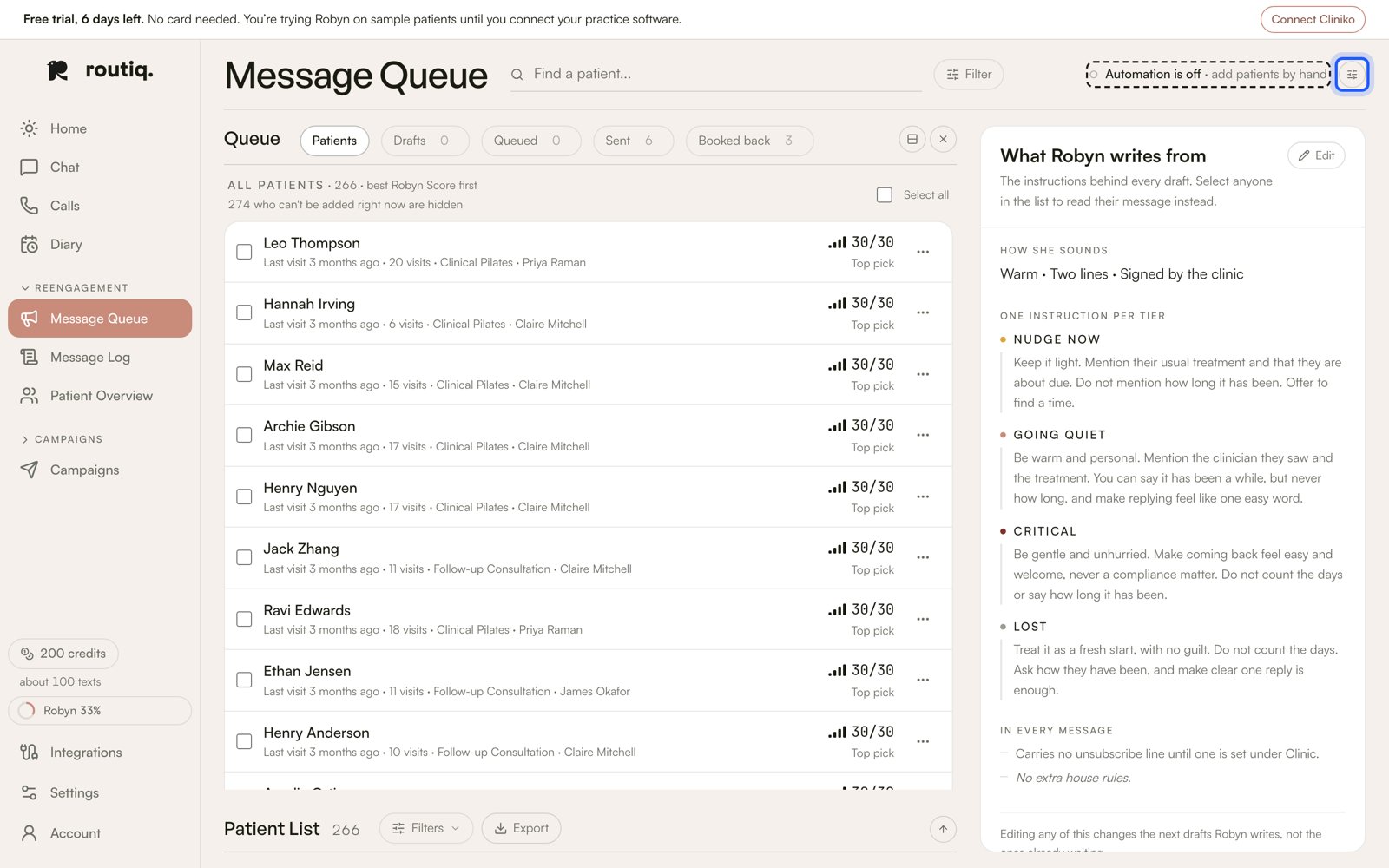
The line at the top says how the queue runs. The button beside it opens Automation settings.
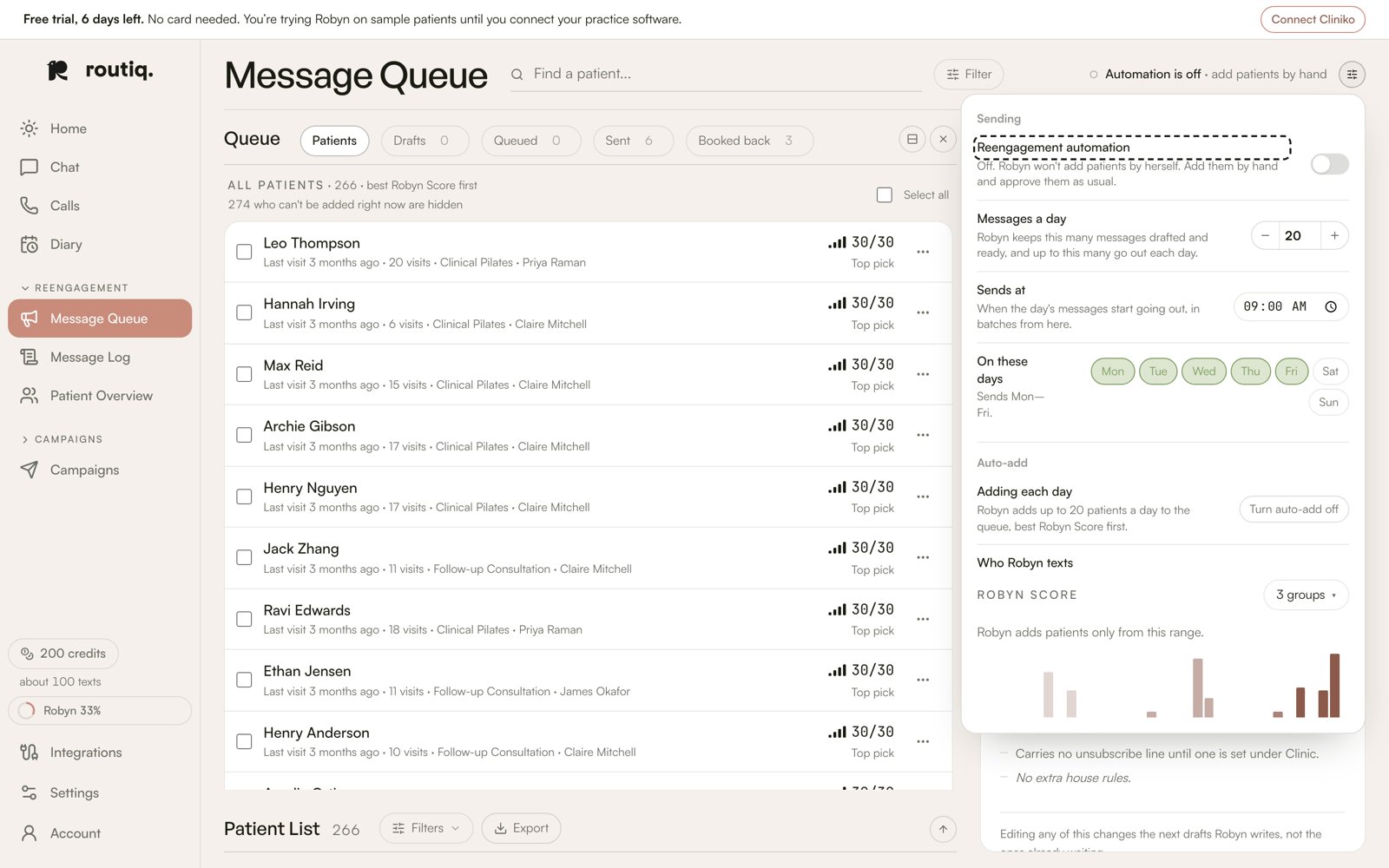
Reengagement automation: Robyn adds nobody while it's off.
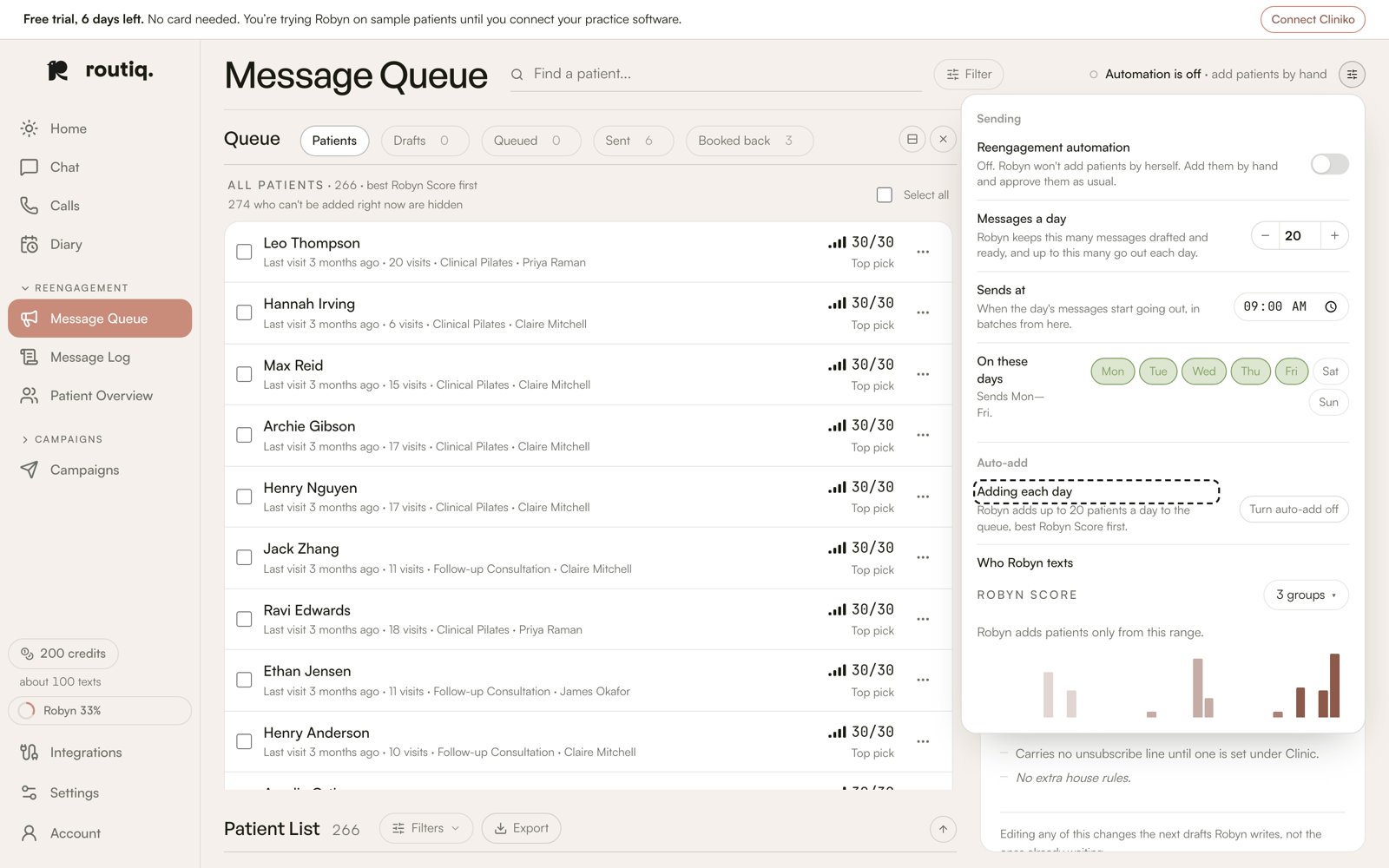
Auto-add, lower down: Robyn adds patients herself only while this is on too.
The Message Queue, tab by tab
A rebooking text moves left to right through the tabs.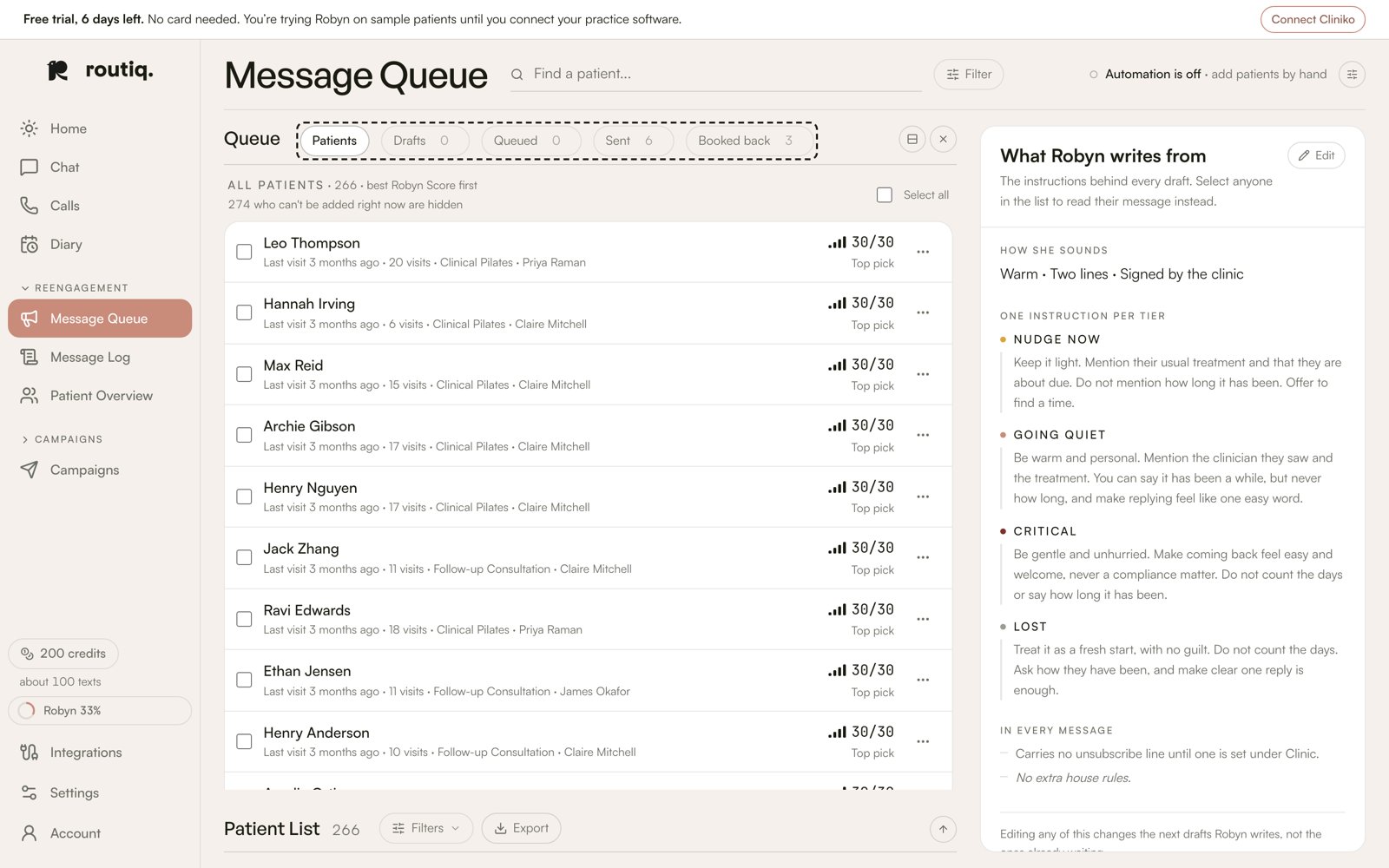
Left to right: Patients, Drafts, Queued, Sent, Booked back.
Assist or Auto
The line at the top of the queue says how it’s running.
Press Turn on Auto to let her approve, and Back to Assist to approve them yourself again. In Automation settings this is Approve drafts for me.
Leave someone out
For family, friends, staff, or anyone who has moved away:- Never text them: on the Patients tab, press ⋯ at the end of their row, then Never text. To do several at once, tick them and press Never text in the bar at the bottom. Robyn won’t text them again, and any text already waiting for them is cancelled.
- They already have a draft: open it in Drafts and press Never text.
- Not yet: in the draft, press Other, then Not now. Robyn may write to them again in 90 days.
- Changed your mind: on the Patients tab, press Won’t text to see everyone you’ve left out, then Text again beside their name.
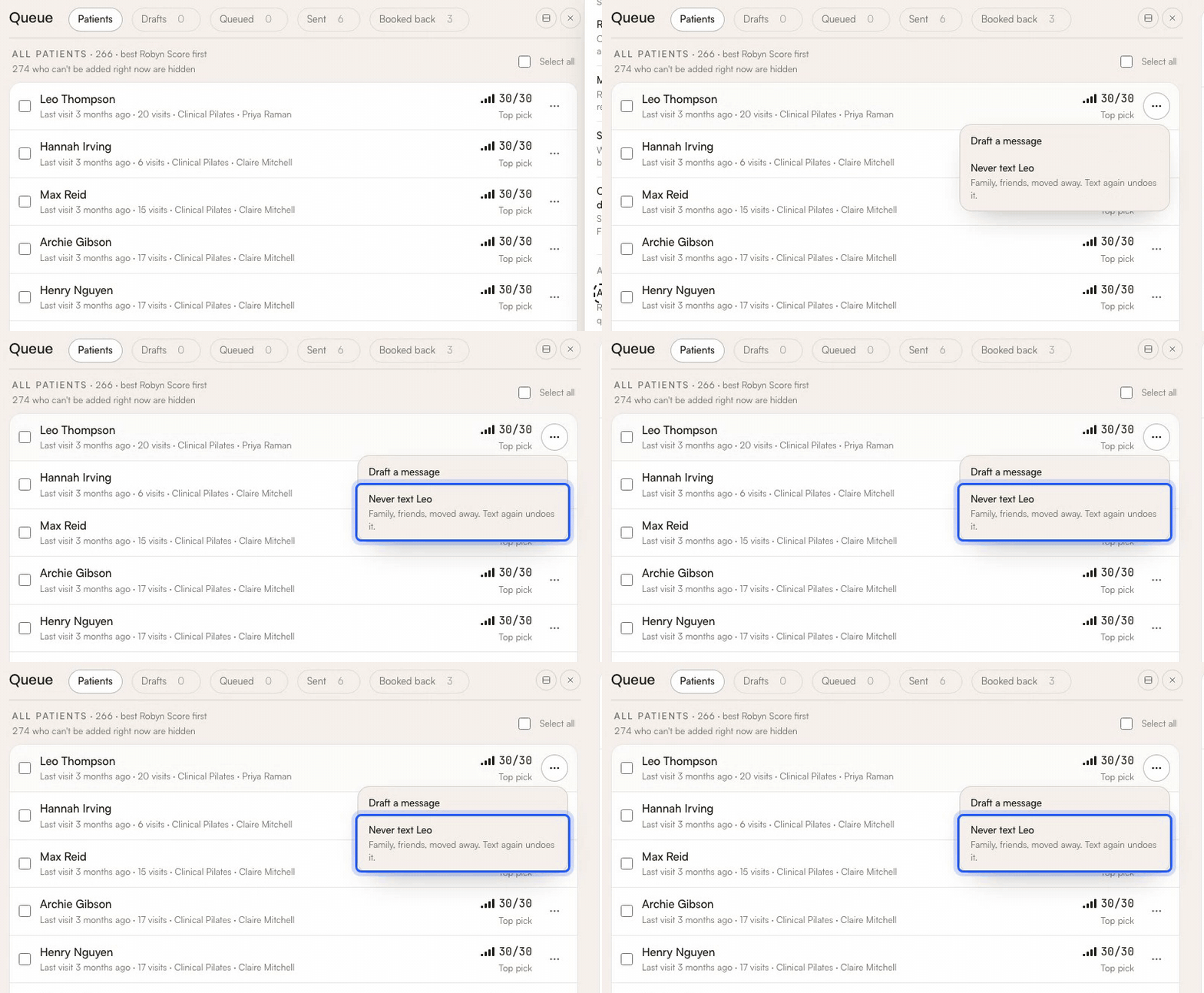
One person: press ⋯ at the end of their row, then Never text.
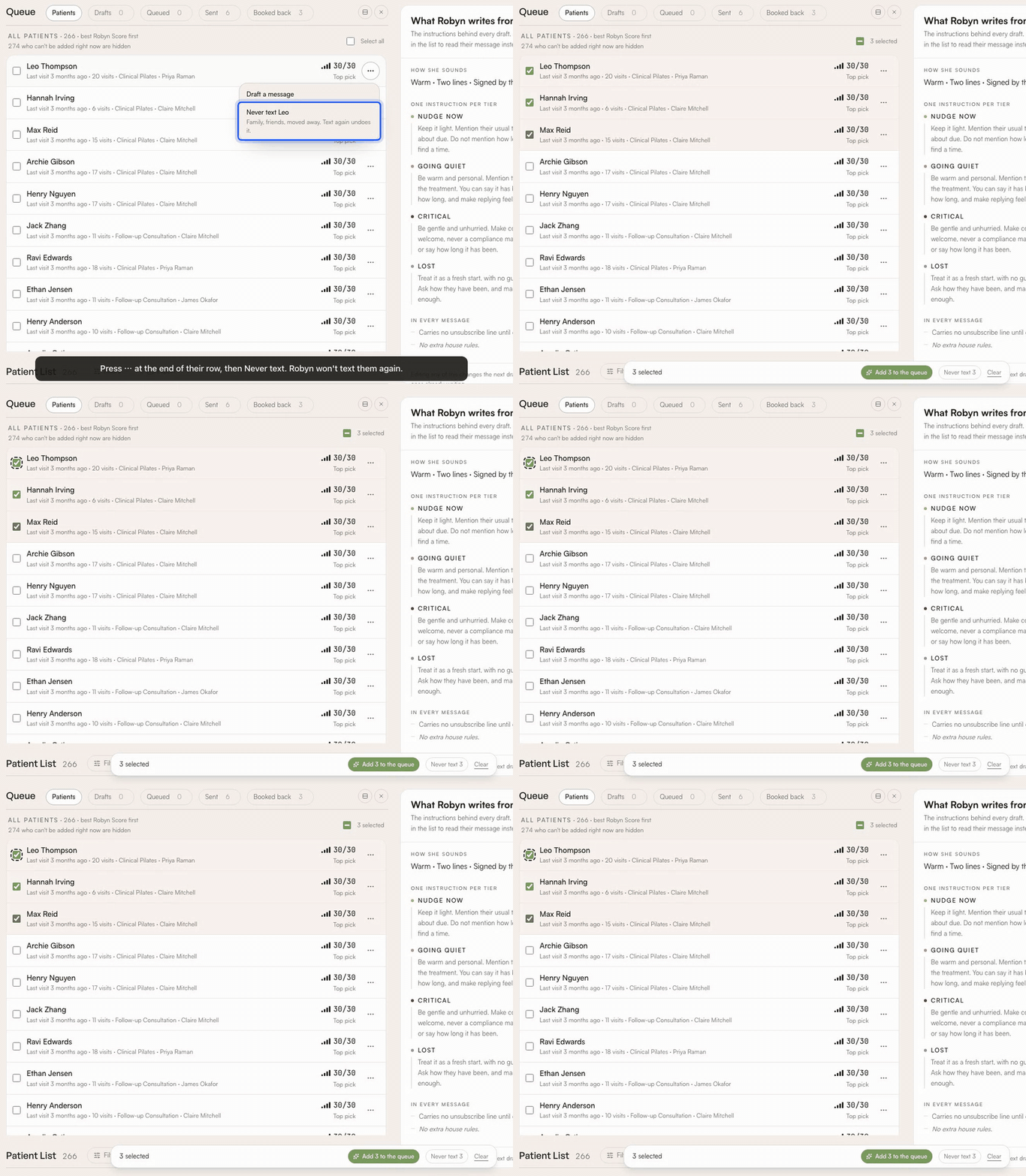
Several: tick them, then press Never text in the bar at the bottom.
Each text costs 1 credit for every SMS segment. A rebooking text with a booking link usually takes two. See credits.